 English
  中文 (中国)
Products: SimTask FarmStick (PC) ; SimTask FarmStick (Xbox) ; SimTask FarmStick (Playstation)
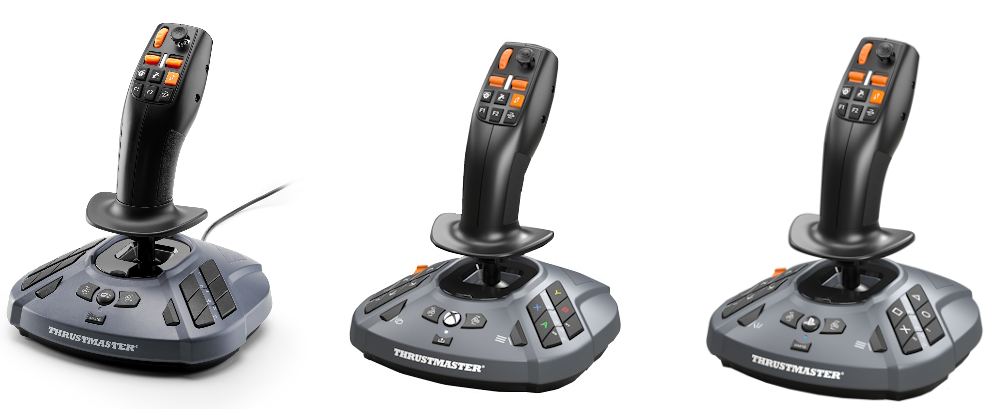
This guide will help you calibrate your SimTask FarmStick. Calibration can fix issues like drift or jitter in the mini-stick or Z-axis.
To calibrate, connect the SimTask FarmStick to a USB port on a PC (for all versions), or to an Xbox console for the SimTask FarmStick (Xbox), or to a PlayStation console for the SimTask FarmStick (PlayStation). The calibration settings will be saved directly on the SimTask FarmStick.
Preparation for calibration
1- Connect the SimTask FarmStick to a USB port on your PC or console
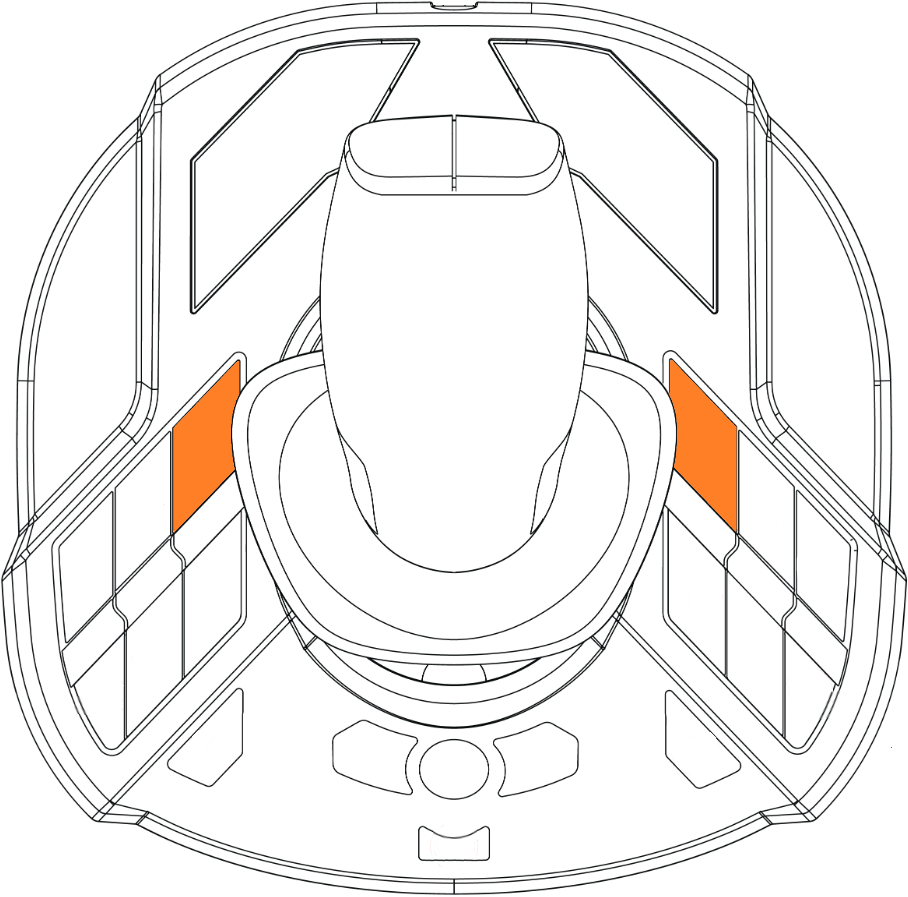
2- Press and hold buttons 5 and 7 at the same time
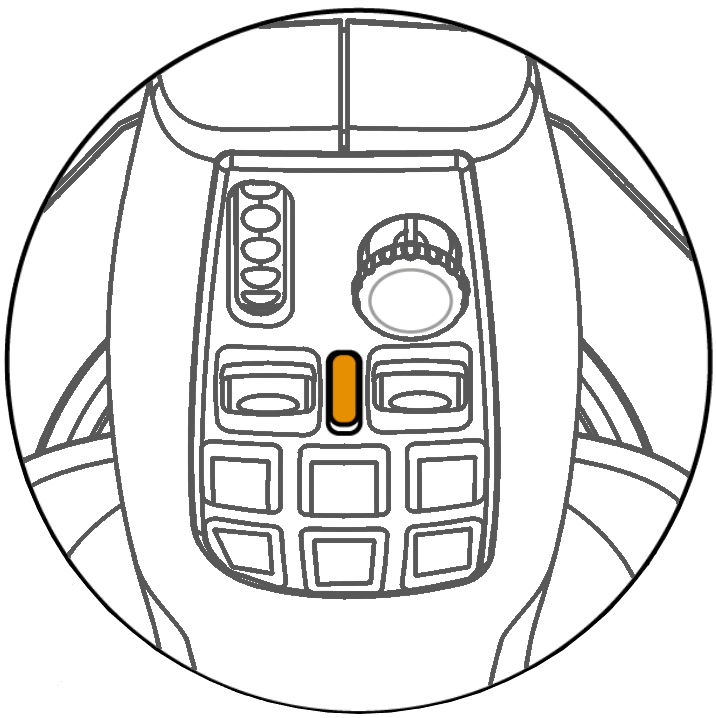
- Keep holding for at least 5 seconds until the LED starts flashing slowly
3- Release buttons 5 and 7
Calibration step 1
4- Ensure all axes are in their neutral position:
- The stick should be at rest, straight and centered, without being touched.
- The Z-axis (rotation) should be centered.
- The mini-stick should also be centered.
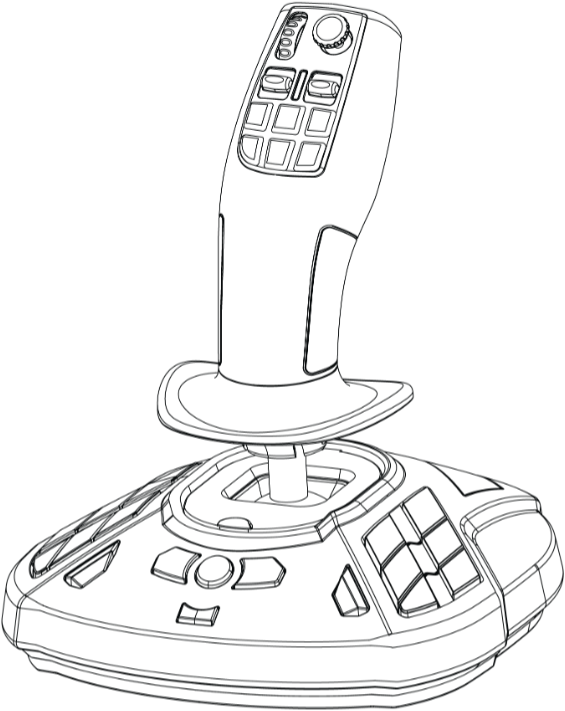
5- Do not touch the axes so they stay in position
6- Press and release button 15
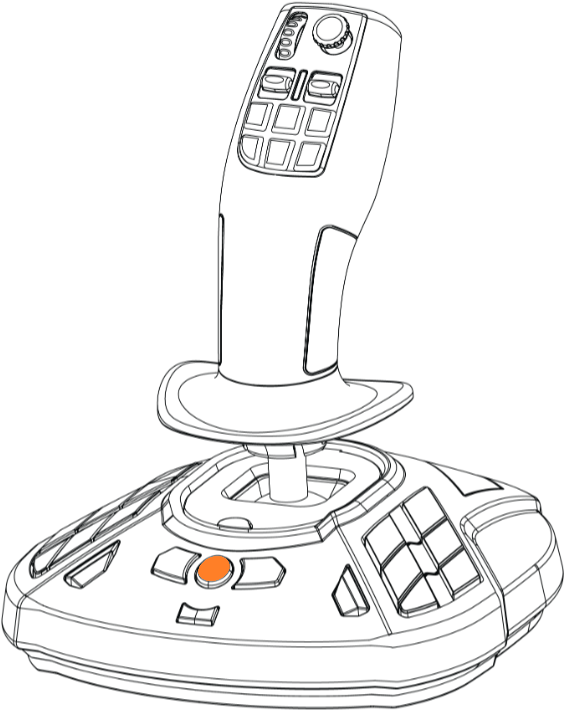
- The LED will flash faster.
Calibration step 2
7- Calibrate the main stick
Move the stick to its maximum range in all four directions, without forcing it. Each time, reach the stop and return to center.
- Push to the stop, then return to center.
- Pull to the stop, then return to center.
- Move left to the stop, then return to center.
- Move right to the stop, then return to center.

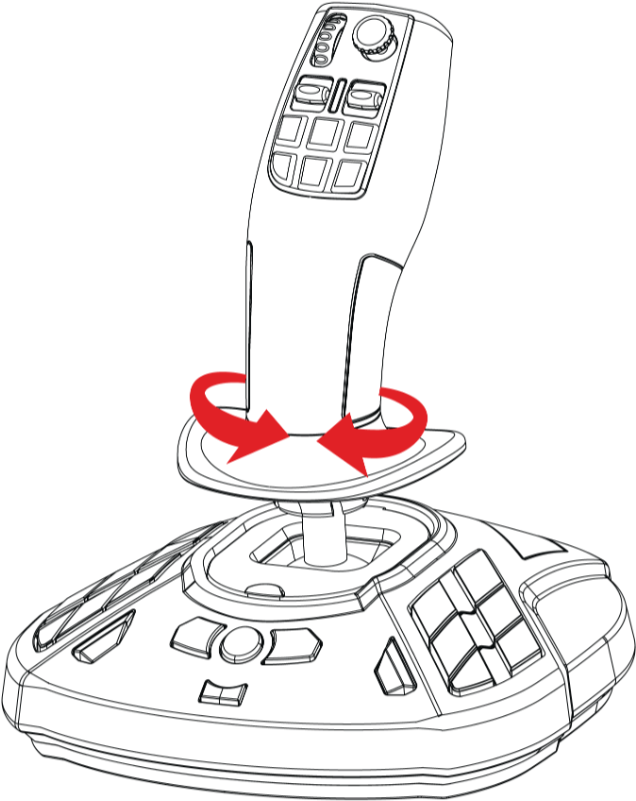
8- Rotate the handle on the Z-axis
- Turn counterclockwise to the stop, then return to center.
- Turn clockwise to the stop, then return to center.
9- Calibrate the mini-stick
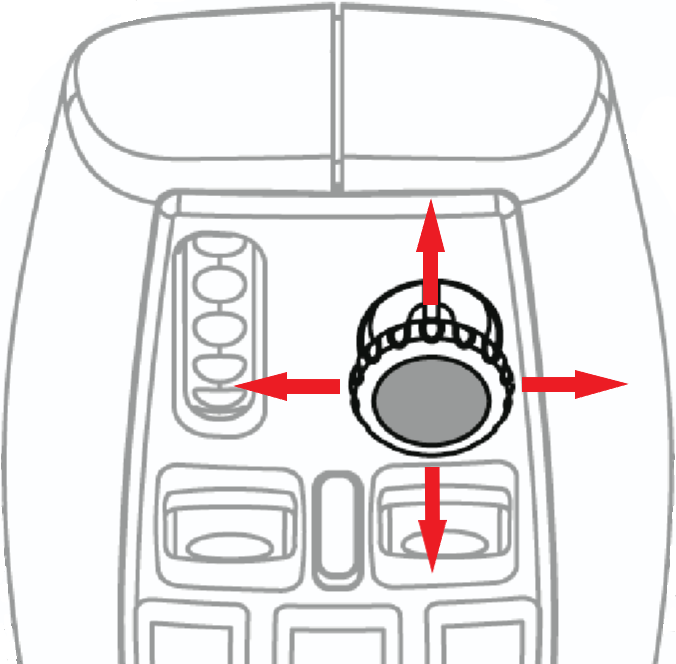
Move the mini-stick to its maximum range in all four directions, without forcing it. Each time, reach the stop and return to center.
- Up to the stop, then return to center.
- Down to the stop, then return to center.
- Left to the stop, then return to center.
- Right to the stop, then return to center.
10- Press and release button 15
- Calibration is saved.
- The LED stays on without flashing.
Calibration is complete.