 English
  中文 (中国)
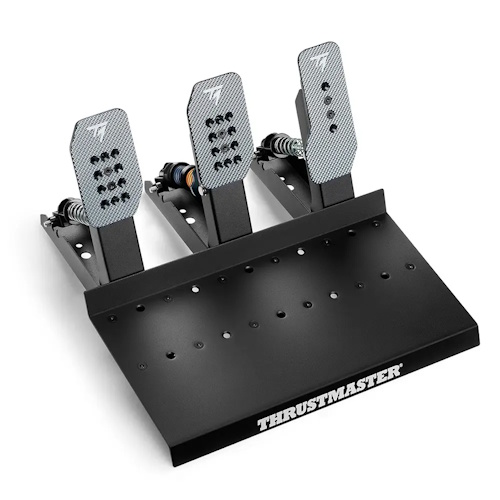
Products: Raceline LC upgrade ; Raceline Pedals III LC
System requirements: My Thrustmaster Panel is available only on PC running Windows® 10/11 or later.
This article describes the steps to update the firmware of the Raceline pedals equipped with the Raceline LC upgrade.
Please make sure to install the latest version of My Thrustmaster Panel.
Important: To connect the Raceline LC to the T598 RJ45 port, please perform the T598 update first. The RJ45 cable and the USB cable of the Raceline LC cannot be used at the same time. Disconnect the one you are not using! |
1. Connect the Raceline LC to the PC
Connect your Raceline LC to the PC using its USB cable.
With the T598, you can connect the Raceline LC to the T598 using its RJ45 cable. Then connect and power on the T598.
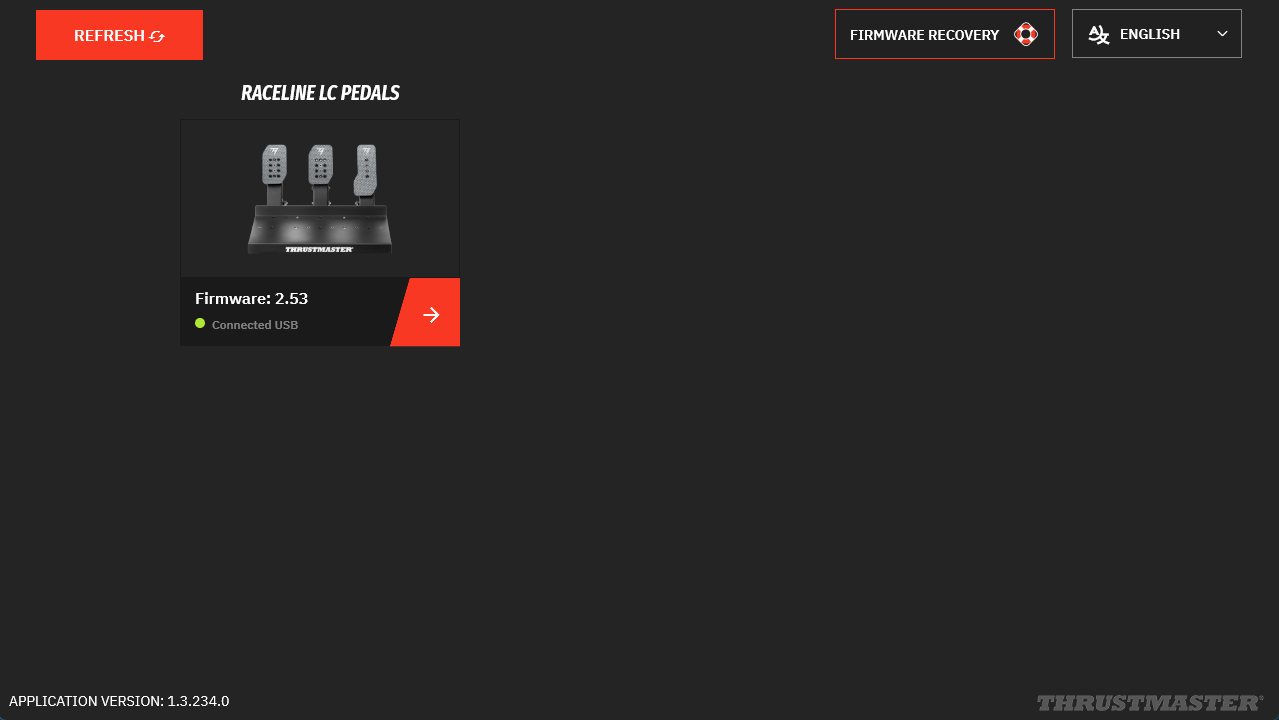
2. Open My Thrustmaster Panel
My Thrustmaster Panel must be connected to the internet so it can retrieve the latest updates. At the bottom of the tabs, a green indicator labeled “Connected” must be displayed.
- If an update is available, a red message “NEW UPDATE AVAILABLE”* will appear on the Raceline LC icon.
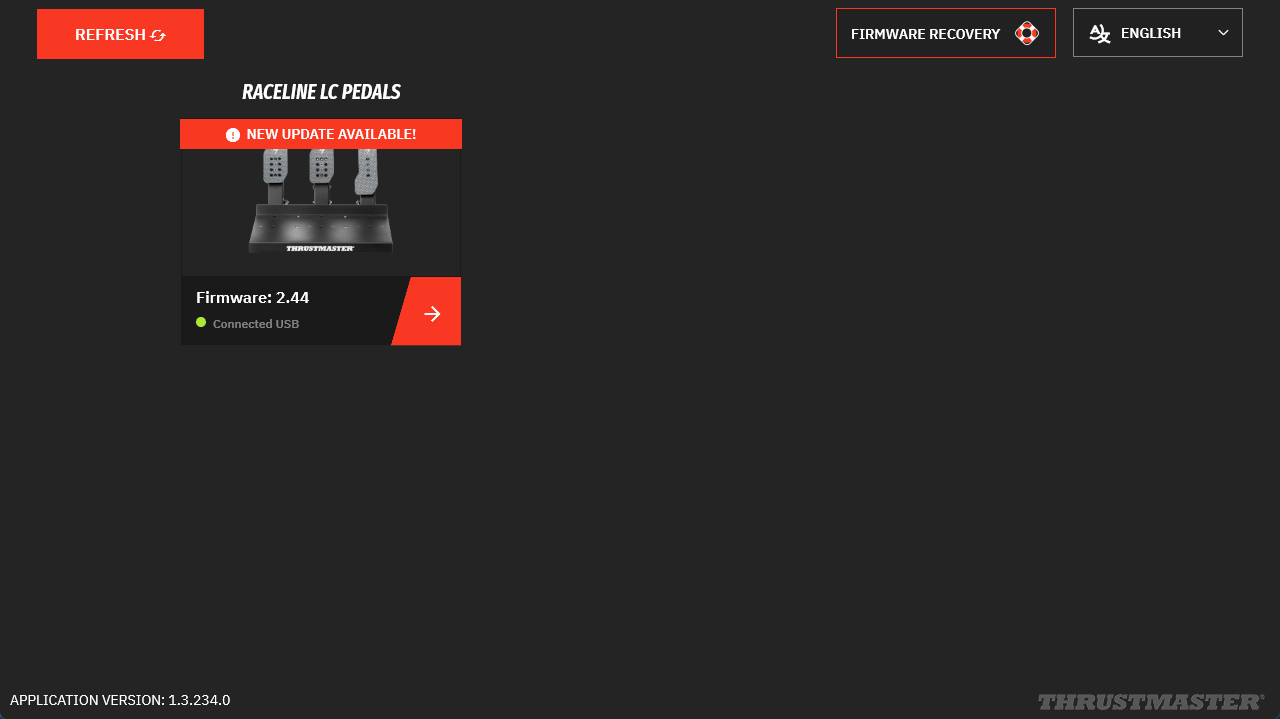
3. Click the Raceline LC Pedals icon
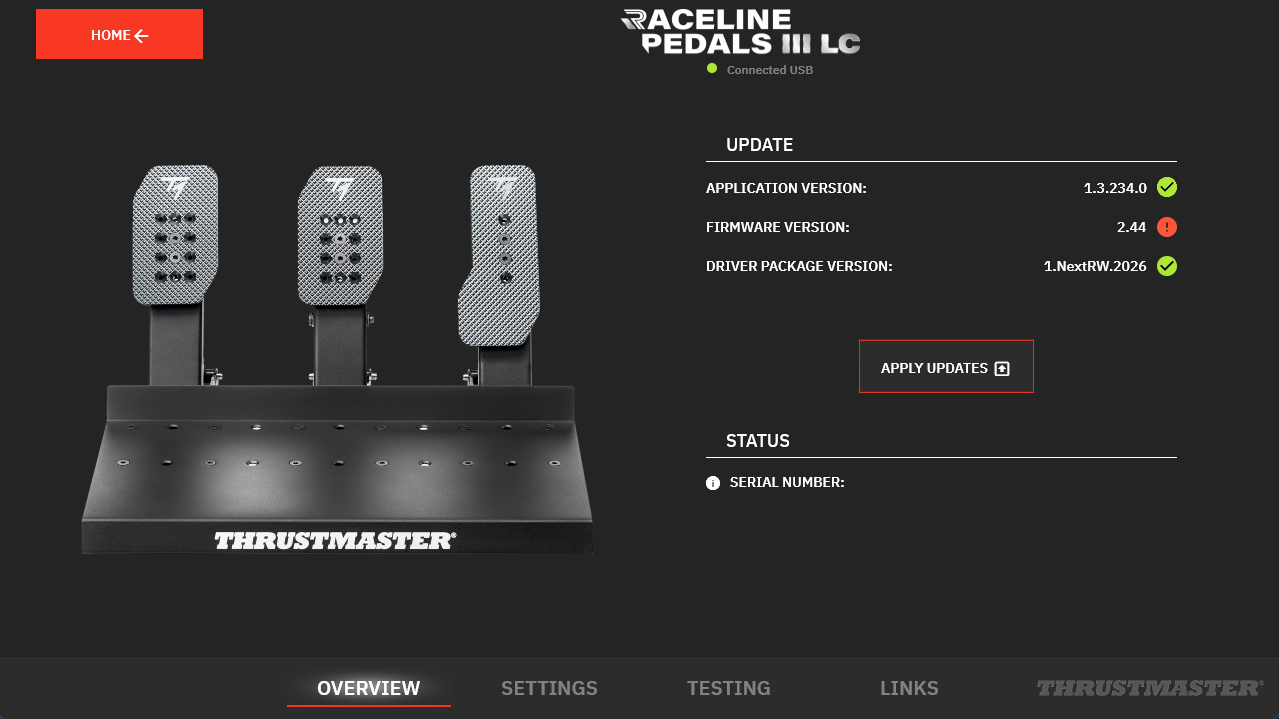
On the Raceline LC Pedals page, in the UPDATE column, the required update will appear with a red dot.
Click “APPLY UPDATES.”
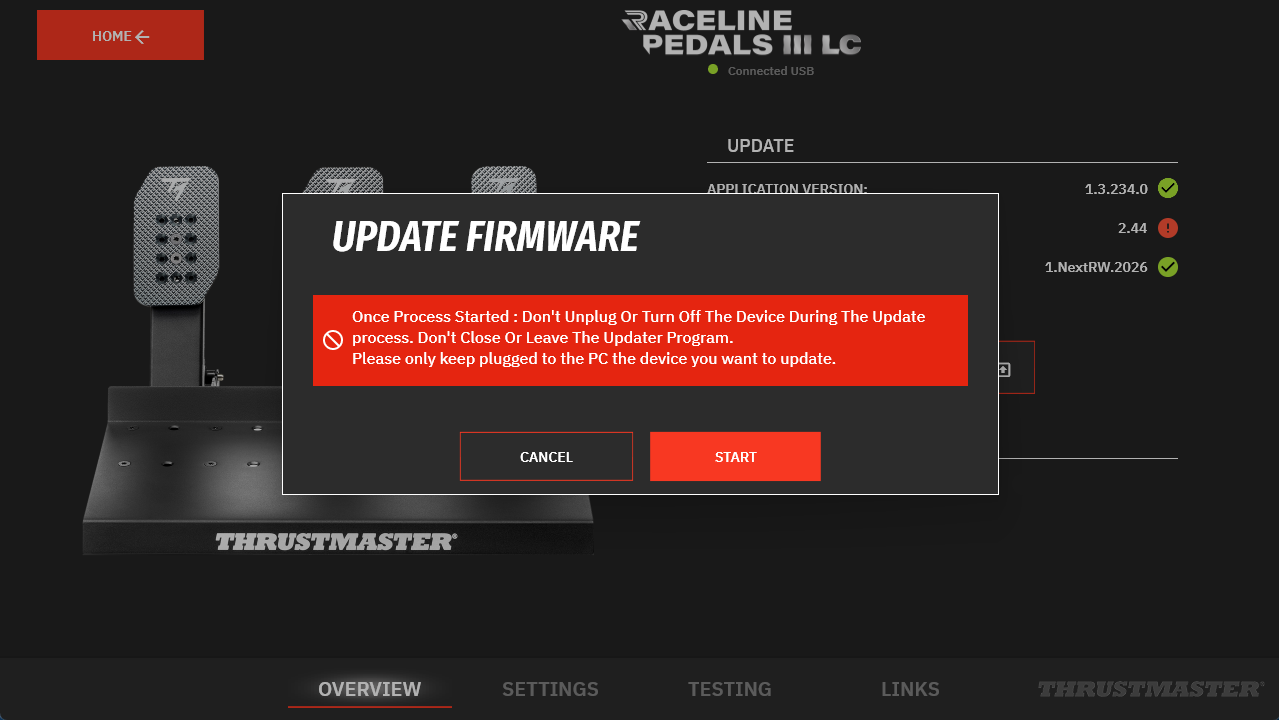
4. Follow the recommendation NOT TO UNPLUG
Click START.
5. Wait during the update
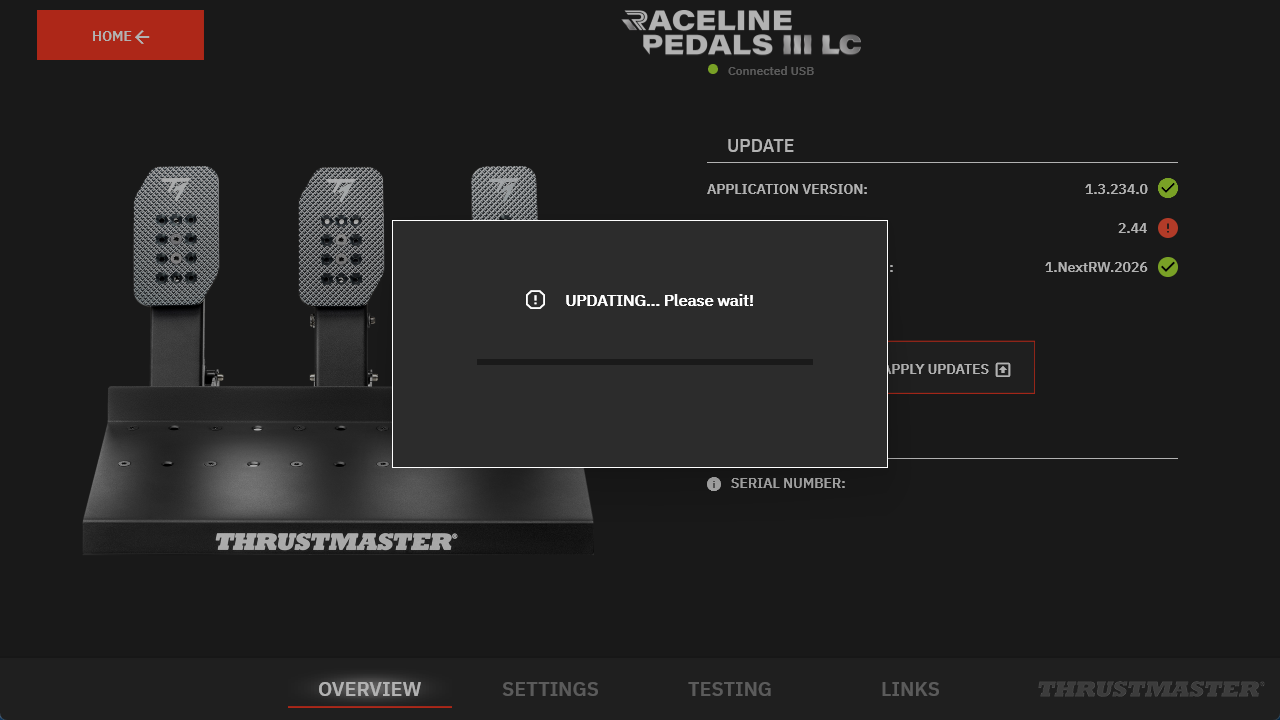
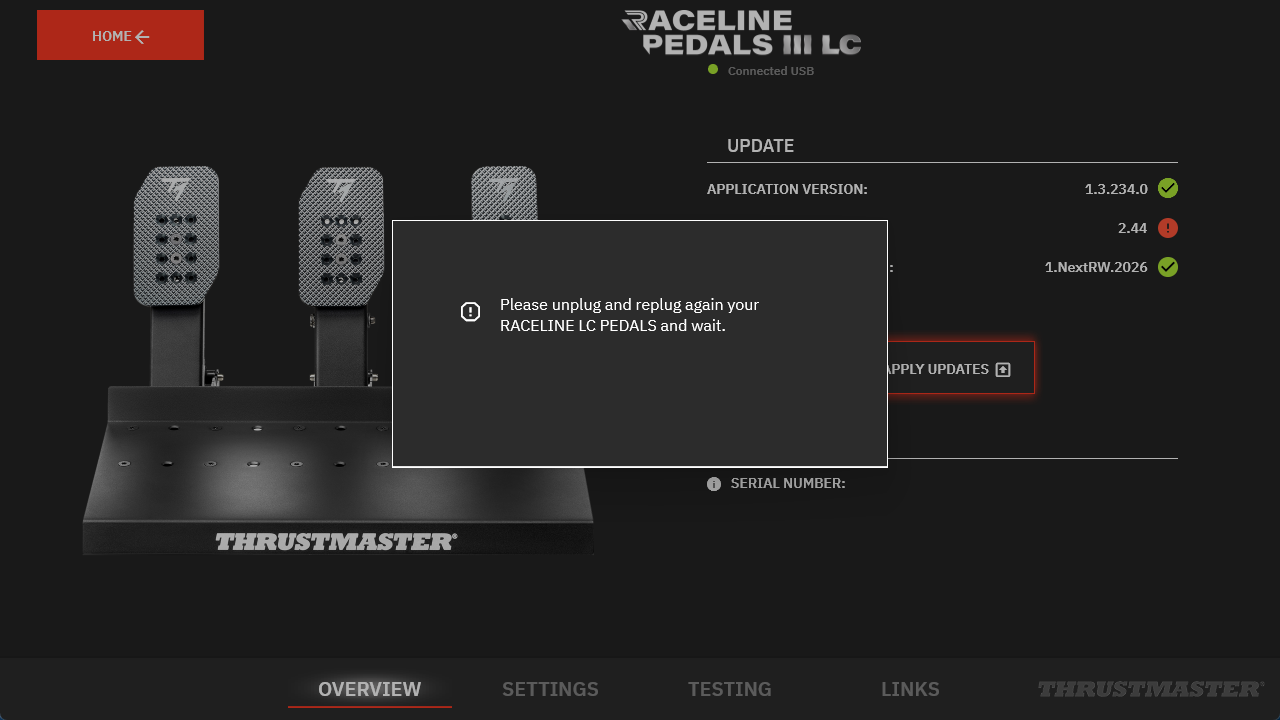
6. Unplug and reconnect your Raceline LC as instructed
This step applies only to updates performed using the USB cable. If the Raceline LC is connected to the T598 using the RJ45 cable, this step will not be requested.
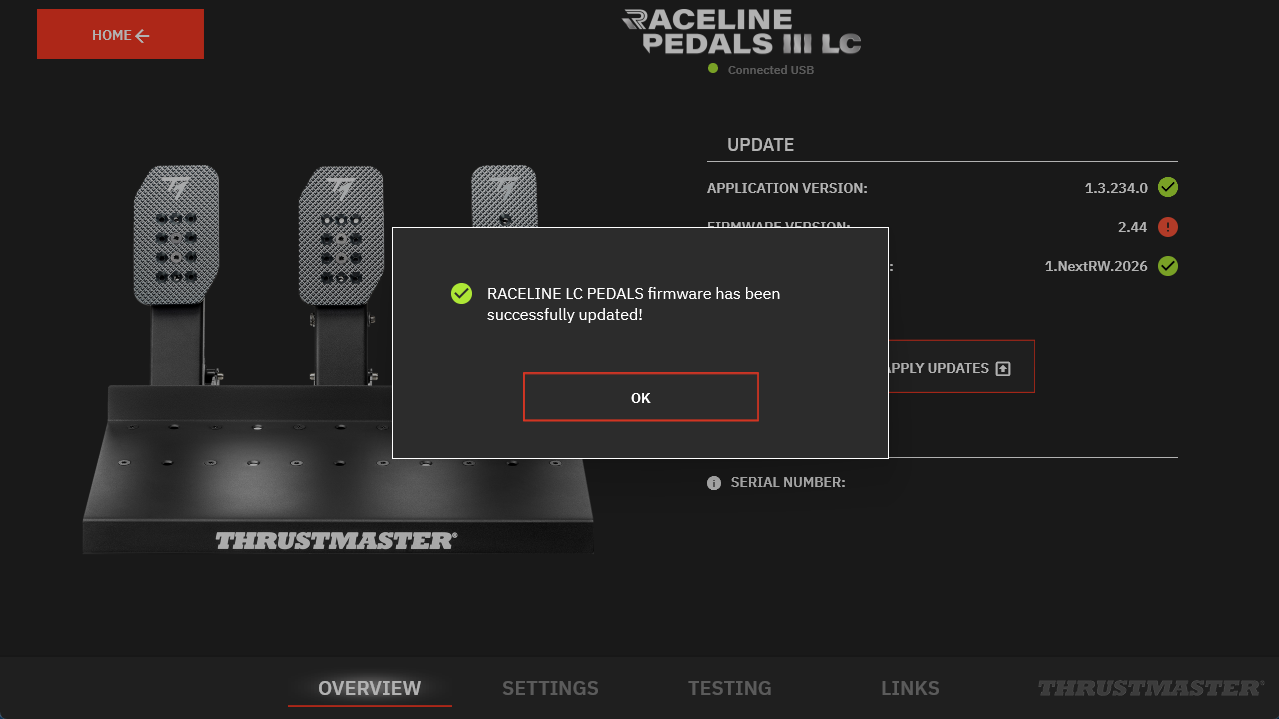
7. The update is confirmed
8. My Thrustmaster Panel must restart
Click OK.
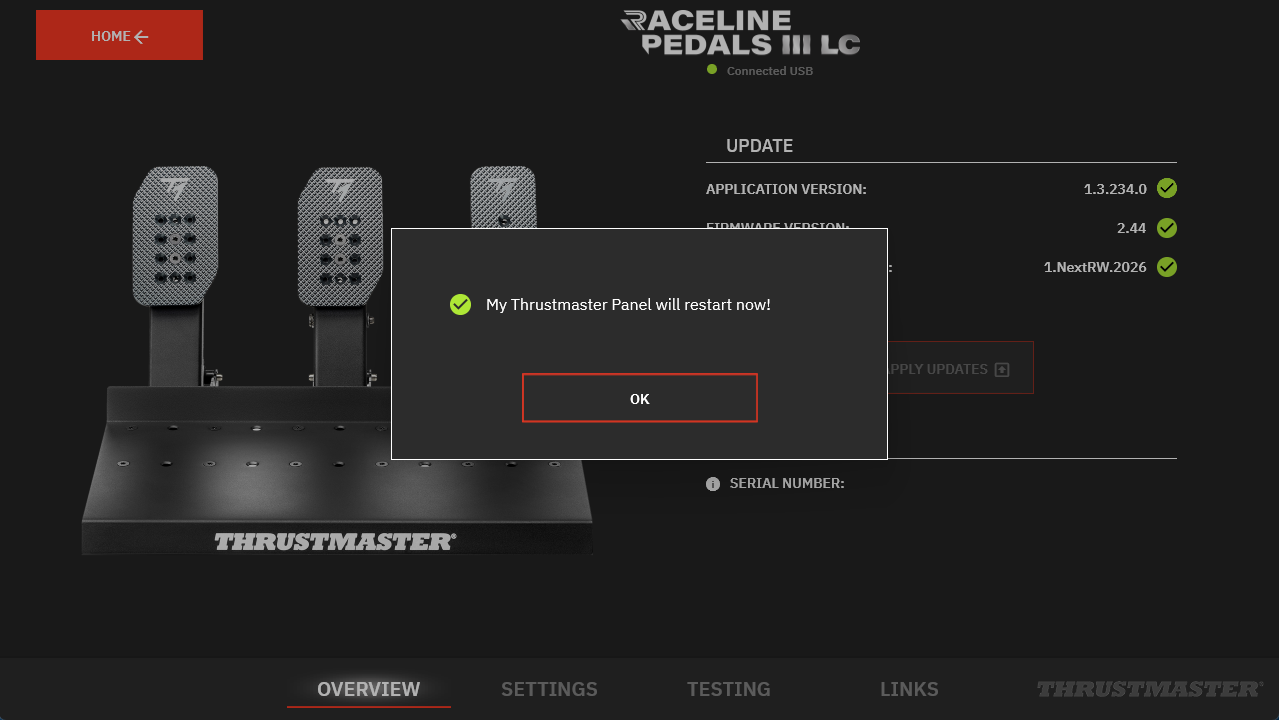
9. The update is complete
You are ready to play!